 by
by An email list is most useful when people joined because they wanted to hear from you. Buying a database may create a large number on a dashboard, but it also creates weak trust, poor engagement, deliverability problems, and legal or platform risks.
A better approach is to build an email list from scratch with clear permission and a real reason to subscribe. This guide shows how a small business, creator, nonprofit, or new website can attract the right subscribers, welcome them well, and grow the list without using purchased contacts.
Start with a clear reason to subscribe
“Join our newsletter” is not always enough. Tell people what they will receive and why it is useful.
Examples of clear subscriber promises
- One practical local gardening tip every Friday.
- Monthly tax and bookkeeping reminders for freelancers.
- New workshop dates and early registration for pottery classes.
- A weekly roundup of simple marketing guides for small businesses.
- Product restock alerts for a small handmade store.
The promise should match what you can deliver. Do not promise daily expert analysis if you can only send one useful email per month.
Choose who the list is for
A focused list is easier to grow because the signup message becomes specific.
Imagine a fitness coach. “Fitness tips” is broad. “Simple strength training tips for adults starting after age 40” gives a clearer audience and content direction.
Write a one-sentence audience definition
Use this format:
This list helps [audience] with [problem] by sending [type of content] at [frequency].
That sentence can guide your signup forms, lead magnets, and welcome email.
Use a reputable email service provider
An email service provider helps manage subscribers, consent records, unsubscribes, templates, automation, and delivery.
Platforms such as Mailchimp, Brevo, and HubSpot offer email marketing tools for different business needs and budgets.
Compare features based on what you actually need: subscriber limits, automation, forms, integrations, reporting, and support. Do not choose only by the largest feature list.
Do not buy, scrape, or borrow email lists
Purchased contacts did not choose to hear from your business. Even when a seller claims the database is “targeted,” that does not create a relationship or valid permission for your specific emails.
Purchased lists can lead to spam complaints, hard bounces, low engagement, account restrictions, and damage to sending reputation.
Build an owned list through voluntary signup instead.
Understand permission and basic compliance
Email marketing rules differ by country. Your signup, consent, identification, and unsubscribe process should follow the laws that apply to your business and subscribers.
In the United States, the Federal Trade Commission publishes guidance on the CAN-SPAM Act. In the United Kingdom, the Information Commissioner’s Office provides direct-marketing guidance.
This article is not legal advice. If your situation is complex, get advice for the regions where you operate.
Make unsubscribe easy
Marketing emails should include a clear way to unsubscribe. Process opt-outs correctly and do not hide the link in tiny text or make people sign in just to leave a list.
Create one useful signup offer
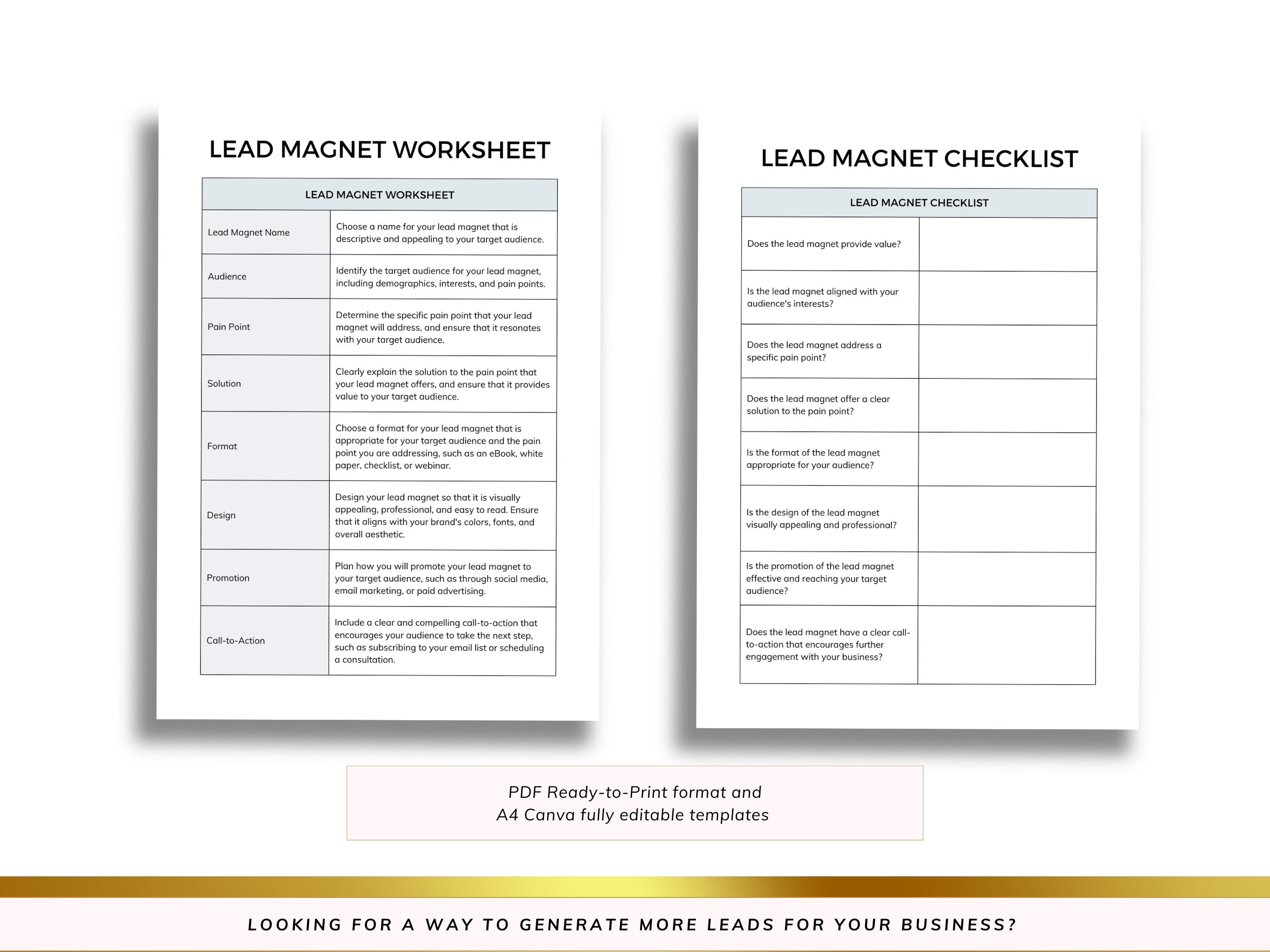
A lead magnet is a free resource offered in exchange for an email signup. It can work well when it solves a small, specific problem.
Useful lead magnet formats
- checklist;
- template;
- short guide;
- calculator;
- worksheet;
- sample plan;
- email course;
- resource list.
A 50-page ebook is not automatically better. A one-page checklist can be more valuable if the reader can use it immediately.
Match the lead magnet to your future emails
The signup resource should attract people who are likely to care about your ongoing content.
A small marketing consultancy could offer a “30-minute website marketing audit checklist.” Those subscribers may later care about SEO, paid ads, email, and content tips.
A generic giveaway such as a popular electronics prize may attract people who want the prize rather than the business content.
Create a focused landing page
A lead-magnet landing page has one job: explain the resource and let the right person sign up.
Include these elements
- a clear headline;
- one sentence about who it is for;
- three to five practical benefits;
- a preview or example if useful;
- a short signup form;
- privacy or consent information where required;
- what kind of emails will follow.
Remove navigation and extra calls to action only if doing so improves clarity without hiding important site information.
Keep signup forms short
Ask only for data you need.
For many newsletters, an email address is enough. First name may help with personalization, but it is not required if you will not use it.
Every extra field creates more work for the visitor. If you need business size, role, or location for segmentation, ask whether the value of that information justifies the friction.
Place signup forms where the invitation makes sense
Do not cover the site with popups. Use placements connected to user intent.
Practical signup locations
- after a useful blog article;
- inside a resource page;
- on the About page;
- in the footer;
- on a dedicated newsletter page;
- after a purchase or booking when consent rules allow;
- in a relevant sidebar on desktop layouts.
The invitation should explain what the subscriber will receive.
Use contextual calls to action inside articles
A signup works better when it relates to the article someone is reading.
For example, at the end of an article about a social media content calendar, offer a downloadable planning template. At the end of an article about keyword research, offer a keyword scoring sheet.
The resource feels like a useful next step rather than a random popup.
Consider double opt-in
With double opt-in, a person submits the form and then confirms the subscription through an email. This adds one step but can improve list quality and provide stronger confirmation that the address owner intended to subscribe.
Whether it is required or best for your business depends on location, platform, and compliance needs. Review your email provider’s current options.
Send the promised resource immediately
If someone signs up for a checklist, do not make them wait for the next newsletter. Deliver it in the first email or on a confirmation page.
A simple delivery email
- Thank the subscriber.
- Give a clear link or access method.
- Explain what emails they will receive next.
- Invite them to reply with one relevant question.
Keep the message short. The subscriber’s main goal is to get the resource.
Create a useful welcome sequence
A welcome sequence introduces the subscriber to your best material and sets expectations.
Simple three-email welcome sequence
Email 1: Deliver and orient. Send the resource, explain the newsletter promise, and tell the person how often you email.
Email 2: Solve a related problem. Share one useful guide, example, or short lesson based on the signup topic.
Email 3: Show the next step. Introduce a relevant product, service, resource library, or question the subscriber can reply to.
Do not turn every welcome email into a hard sale.
Ask subscribers what they need
One of the easiest ways to improve future emails is to ask.
A welcome email can include one simple question: “What is the biggest problem you are trying to solve with your website right now?”
Replies can reveal topics, customer language, objections, and service opportunities. Read them and save recurring themes.
Use content upgrades for high-performing articles
A content upgrade is a resource made for one article or topic.
Examples:
- SEO article → on-page checklist;
- budgeting article → monthly budget spreadsheet;
- meal-planning article → printable weekly planner;
- paid ads article → campaign setup checklist;
- email automation article → workflow map template.
You do not need a unique download for every post. Create them for topics that attract the right readers and have a clear next step.
Promote the newsletter on social media with a specific benefit
Do not post only “Subscribe to our newsletter.” Show what subscribers get.
A bookkeeping business might say: “Friday’s email includes a five-minute month-end records checklist for freelancers.” That is more concrete.
Use the social platform to preview the value, then link to a focused signup page.
Use offline opportunities when they are relevant
Local businesses can grow an email list through in-person interactions, but consent still matters.
A workshop can include a QR code for optional class notes and future workshop updates. A retail store can offer an email receipt plus a separate marketing opt-in where required. A conference booth can offer a useful follow-up resource.
Do not automatically add every customer or business card to a marketing list.
Partner with complementary businesses
A partnership can expose your signup offer to a relevant audience.
A wedding photographer and florist could create a planning checklist together. A local running store and physiotherapist could host a beginner running session and offer optional training notes by email.
Keep permission clear
If two businesses collaborate, explain which organization will email the subscriber. Do not quietly share subscriber addresses between partners.
Track where subscribers come from
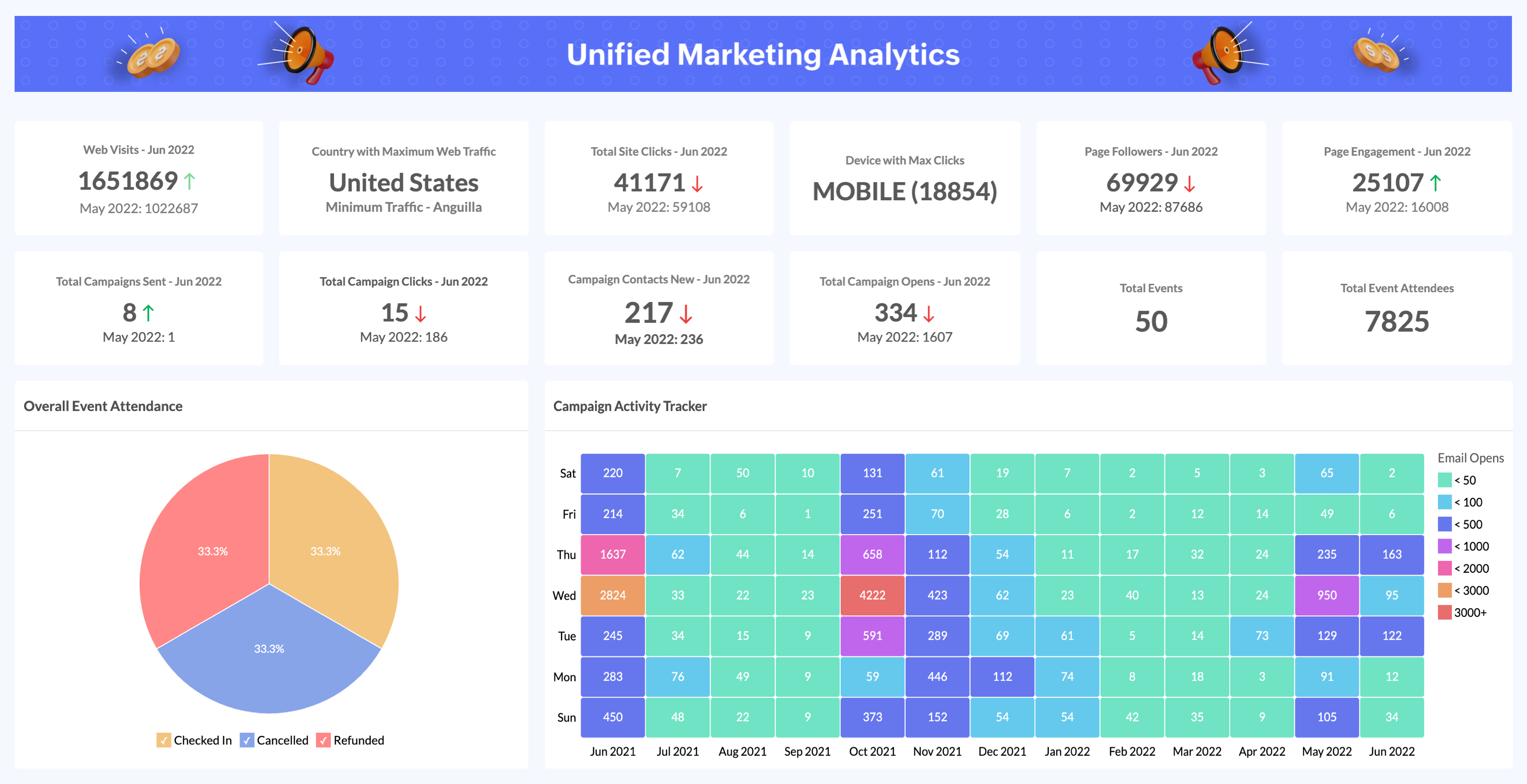
List growth is more useful when you know which sources attract engaged people.
Track sources such as:
- homepage;
- blog article;
- lead magnet page;
- Instagram;
- LinkedIn;
- event;
- partner campaign;
- customer checkout.
Your email platform, analytics system, or UTM-tagged campaign links can help with source reporting.
Measure subscriber quality, not only total growth
A list that grows by 1,000 uninterested addresses is not necessarily healthier than one that grows by 100 relevant subscribers.
Review these signals
- confirmation rate if using double opt-in;
- delivery and bounce rates;
- opens as directional data;
- clicks;
- replies;
- unsubscribes;
- spam complaints;
- sales or enquiries where appropriate.
Privacy features can make open-rate data less precise, so do not rely on opens alone.
Keep the list clean
Hard bounces and invalid addresses should not remain active. Email providers usually help process them automatically.
For long-term inactive subscribers, consider a re-engagement campaign. If people still show no interest, suppressing them may improve list quality and sending reputation.
Protect sender reputation
Your sending reputation can be affected by complaint rates, invalid addresses, authentication, engagement, and sending practices.
Basic good practices
- Use a domain you control.
- Configure sender authentication supported by your provider.
- Do not send to purchased lists.
- Remove hard bounces.
- Honor unsubscribes.
- Send the type of content people signed up for.
- Avoid sudden unexplained changes in sending behavior.
Your email provider can guide you through current authentication requirements.
Use a realistic publishing rhythm
You do not need to email daily. Choose a rhythm that matches the promise and your ability to send useful content.
A weekly educational email can work well for a content business. A local service may prefer twice per month. A product store may send based on launches, useful product education, and seasonal needs.
Tell subscribers what to expect and stay reasonably consistent.
A 30-day email list building plan
Week 1: set the foundation
- Choose the target subscriber.
- Write the newsletter promise.
- Select an email service provider.
- Review consent and privacy requirements.
- Create one useful lead magnet.
Week 2: build signup paths
- Create a landing page.
- Add forms to relevant site locations.
- Set up the confirmation and delivery email.
- Test the signup on mobile and desktop.
Week 3: create the welcome experience
- Write a three-email welcome sequence.
- Add one useful reply question.
- Tag the signup source.
- Test unsubscribe and preference behavior.
Week 4: promote and measure
- Add contextual calls to action to your best articles.
- Share the lead magnet on relevant social channels.
- Ask partners about a useful collaboration.
- Review signups, confirmations, clicks, and replies.
Real-world example: a local bakery

A small bakery wants to rely less on social algorithms for seasonal order announcements. Instead of asking people to “join our mailing list,” it creates a “Weekend Menu & Preorder Alert” list.
The signup page explains that subscribers receive one email on Thursday with the weekend menu, preorder deadline, and one behind-the-scenes item. The bakery places a QR code near the counter and links the signup page from Instagram Stories.
The first email confirms what the subscriber will receive. The bakery tracks signups from the store and Instagram separately. After several weeks, it finds that in-store subscribers place more preorders, while Instagram subscribers click more often on new product photos. The owner adjusts content for both groups without buying a single address.
Common email list building mistakes
Offering a generic lead magnet
A broad giveaway may attract people who do not care about future emails. Make the resource close to your ongoing topic.
Asking for too much information
Collect only what you will use.
Hiding what subscribers will receive
Set expectations before signup.
Sending the first real email weeks later
Use a welcome sequence while the signup is still fresh.
Adding customers automatically
Purchase and marketing consent are not always the same. Follow the rules that apply to your region and relationship.
Judging success only by list size
Engaged, relevant subscribers are more useful than a large inactive database.
Email list building checklist
- Write a clear subscriber promise.
- Define the target audience.
- Choose a reputable email provider.
- Avoid purchased and scraped lists.
- Review applicable consent rules.
- Create one specific lead magnet.
- Match the resource to future emails.
- Build a focused landing page.
- Keep forms short.
- Add signup opportunities in relevant places.
- Consider double opt-in.
- Deliver the promised resource immediately.
- Create a short welcome sequence.
- Ask subscribers a useful question.
- Track signup sources.
- Measure subscriber quality.
- Maintain list hygiene.
- Protect sender reputation.
- Choose a sustainable sending rhythm.
Frequently asked questions
How can I build an email list with no audience?
Start with one useful resource for a clear audience, publish helpful content around the same topic, place relevant signup forms on those pages, and share the resource through communities and channels where you already have legitimate access.
Should I use a popup?
A popup can work when it is easy to close, not intrusive, and connected to a useful offer. It should not block the page immediately or create a poor mobile experience.
Is a lead magnet required?
No. A strong newsletter promise, product alerts, community updates, or useful recurring content can be enough. A lead magnet helps when it solves a specific first problem.
How fast should an email list grow?
There is no healthy universal rate. Growth depends on traffic, audience size, offer quality, distribution, and business type. Focus on consistent acquisition of relevant subscribers rather than a target number with no context.
Conclusion
Building an email list from scratch is a trust process. Give people a clear reason to subscribe, ask for permission properly, deliver what you promised, and send useful content at a sustainable pace.
A smaller list of people who chose to hear from you is more valuable than a purchased database that never wanted your emails. Start with one audience, one strong signup offer, one welcome sequence, and one measurement routine. Improve each part as real subscriber behavior shows what is useful.